
Yamina
Right-aligns Hebrew and Arabic text on the sites you switch it on for.
Gallery
About
Sourced from arikw/yamina README
A Chrome extension. Click its toolbar button on a site to switch it on there:
every text block — <div>, <p>, <li>, heading, <blockquote> — whose
text is mostly (over half its words) Hebrew or Arabic is set right-to-left and
right-aligned. Click again to switch it off.
- Per site = per hostname (
mail.google.comandgmail.comare separate). A site stays on across visits and browser restarts until you switch it off. - Each block is judged by its own text — text inside nested blocks is left out. So a message whose text all sits in paragraphs is left alone and each paragraph gets its own direction (a Hebrew paragraph and an English one in the same message both come out right), and a page-wide wrapper never flips just because the page is mostly Hebrew. Blocks with no text of their own are never touched.
- Counts words, not letters — English words run longer and Hebrew leaves
out most vowels, so counting letters leans English. A word is a run of
letters in one script (
כwatchis two words). Digits, punctuation and emoji don't count either way. - An English block inside a flipped Hebrew one is set back to left-to-right.
- Keeps working as the page changes (chat messages arriving, infinite scroll, typing into an editable box). One observer for the whole page queues only the blocks that changed; they're checked in the browser's idle time, a few milliseconds at a time, so scrolling and typing never wait on it (within a second at most, even on a page that's never idle).
- A flipped list item keeps its bullet inside it, on the right.
- The button shows ON where it's active, and ! on pages it can't run on
(browser pages like
chrome://, the Web Store, local files).
Permissions
None at install. The first click on a site asks Chrome for access to that
site only; switching the site off gives the access back. Being on for a site
is holding its permission: Chrome keeps granted sites until they're removed,
and the extension registers its script for exactly those sites, so nothing runs
anywhere else. Sites can also be removed from the extension's page in Chrome
(chrome://extensions → Details → Site access).
activeTab— lets the button read the current tab's address when clicked.scripting— runs the script on the sites that are on.optional_host_permissions: *://*/*— the upper bound of what may be requested, one site at a time; nothing is granted until you click.
Install (unpacked)
- Chrome →
chrome://extensions→ turn on Developer mode (top right). - Load unpacked → pick this folder.
After changing the code: the circular arrow on the extension's card, then reload the tab.
Files
manifest.json— Manifest V3.background.js— the toolbar button: asks for / gives back the site, keeps the script registered for exactly the granted sites, shows the badge.content.js— the behavior on the page: checking the blocks, watching the page for changes.icons/— drawn bytools/make-icons.py(Python standard library only).tools/pack.sh— buildsdist/yamina-<version>.zipfor the Chrome Web Store.store/— the store listing: images andLISTING.md(every field's text).PRIVACY.md— privacy policy (no data collected).test/demo.html— one example per rule, plus a button that adds 500 messages at once. Serve it over HTTP to try it (the extension doesn't run on local files), e.g.python3 -m http.serverin this folder, then openhttp://localhost:8000/test/demo.html.
More projects
See all →
2012–2014
Poper Blocker
Blocks all these annoying popups and popunders that pop no matter where you click on a page.
250.6K 4.5★ (917)
2012
Extensions Reloader
A chrome extension for reloading unpacked extensions
339 10K 4.4★ (143)

2009–2018
Auto Replay for YouTube™
Enables automatic replay of a YouTube™ video or a part of it...
28.6K 88K 3.9★ (520)
2020
Popper Stopper Pro
No more annoying popups and popunders. Period.
8K 4.5★ (113)
2023
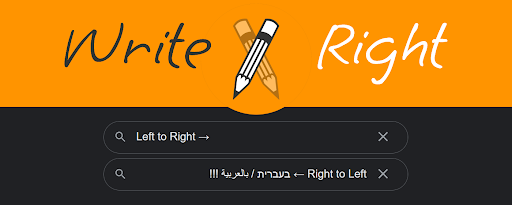
WriteRight
Chrome extension that automatically sets the writing direction of input elements and allows the user to override it with keyboard shortcuts. Written using Bing's ChatGPT AI
10 1K 4.7★ (16)
2023
Fullscreen Magic
Automagically finds a video, game, frame, or other embedded content in a webpage and makes it full screen with a single click
3 1K 5★ (8)