
WriteRight
Chrome extension that automatically sets the writing direction of input elements and allows the user to override it with keyboard shortcuts. Written using Bing's ChatGPT AI
Gallery
About
Sourced from arikw/write-right-extension README

WriteRight is a chrome extension that automatically sets the writing direction of input elements and allows the user to override it with keyboard shortcuts.
Features
- Automatically detects the writing direction of the first word character in an input element and sets it to RTL or LTR accordingly.
- Allows the user to manually set the writing direction to RTL with the right control and right shift keys, or to LTR with the left control and left shift keys.
- Only changes the writing direction of editable input elements.
- Re-enables the auto-detection mode when the input element is cleared.
Use Cases
WriteRight is especially useful for users who need to switch between different writing directions frequently. Some examples are:
- On Windows, users can change the writing direction to LTR or RTL using CTRL + LEFT or RIGHT SHIFT shortcuts. This feature is missing from Chrome on Linux, but WriteRight enables it.
- WriteRight also automatically sets the writing direction in webpages that align the text to a fixed side. For example, in Google's website, the search field is fixed to LTR, but WriteRight can change it to RTL if needed.
Installation
You can install WriteRight from the Chrome webstore or from Github.
Usage
After installing WriteRight, you can use it on any webpage that has input elements. Just start typing and the extension will automatically set the writing direction for you. If you want to override the writing direction, you can use the keyboard shortcuts: left control and left shift for LTR, or right control and right shift for RTL.
Development
WriteRight was generated using Bing's GPT, a powerful natural language processing model that can create various types of content. Learn more about the development process here.
License
WriteRight is licensed under the MIT license. See LICENSE for more details.
What people are saying
-
★★★★★
Awesome, works well for Jira comments
-
★★★★★
it works, ChatGPT forsed me to write Arabic from left to right, This was very annoying especially when you try to mix it with English words, This extension is a life saver.
-
★★★★★
This extension is great, thank you very much to its creator
-
★★★★★
The WriteRight extension currently works only on Google.com. If you could add support for chat.bing.com, it would be more useful.
More projects
See all →
2020
Popper Stopper Pro
No more annoying popups and popunders. Period.
8K 4.5★ (113)
2023
Fullscreen Magic
Automagically finds a video, game, frame, or other embedded content in a webpage and makes it full screen with a single click
3 1K 5★ (8)
2012–2014
Poper Blocker
Blocks all these annoying popups and popunders that pop no matter where you click on a page.
250.6K 4.5★ (917)
2012
Extensions Reloader
A chrome extension for reloading unpacked extensions
339 10K 4.4★ (143)

2009–2018
Auto Replay for YouTube™
Enables automatic replay of a YouTube™ video or a part of it...
28.6K 88K 3.9★ (520)

2026
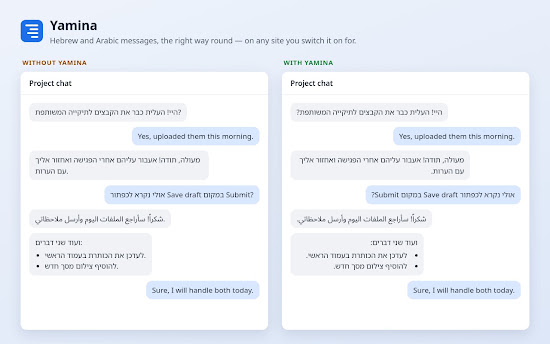
Yamina
Right-aligns Hebrew and Arabic text on the sites you switch it on for.